Savings Goals & Investment Tracker
Hit your goals and measure real investment returns.
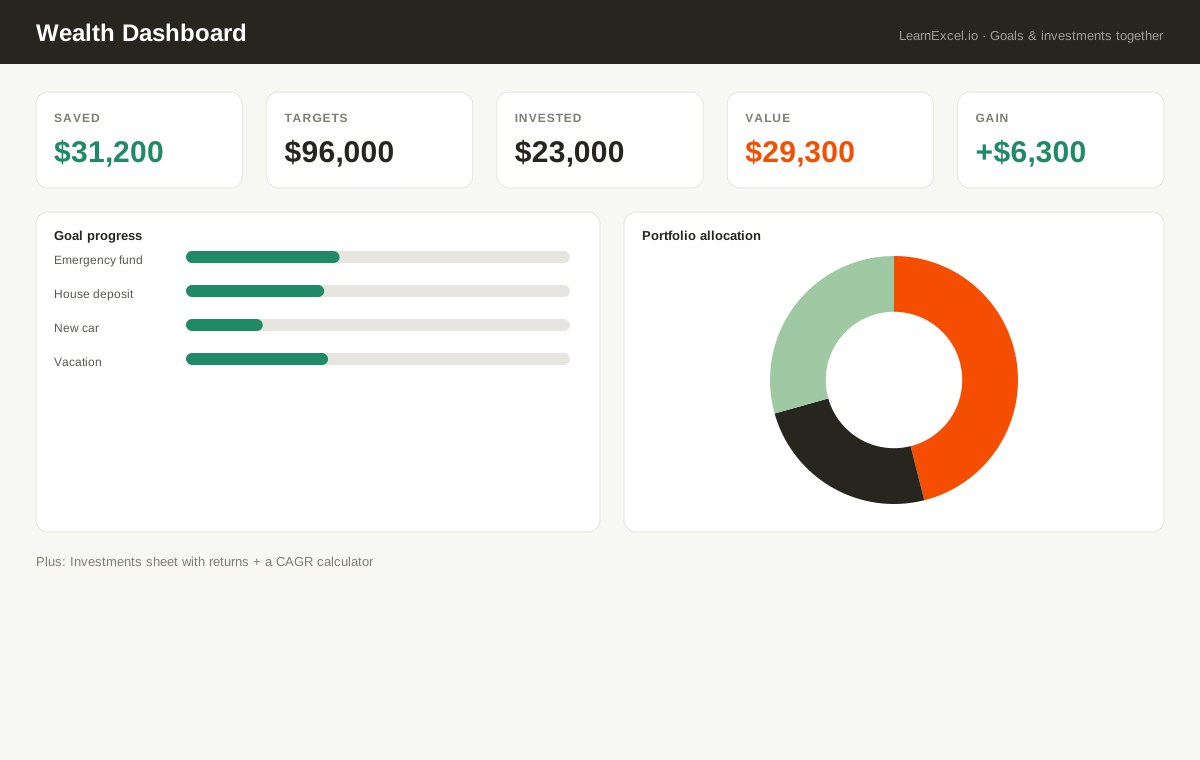
Set savings goals and watch progress, months-to-go, and an on-track flag update automatically. Track investment holdings to see gain/loss and return %, and use the built-in CAGR calculator to measure the true annual growth of any investment. A Wealth Dashboard ties goals and portfolio together with progress bars and an allocation chart.
What's included
- ✓Goal tracking with % complete + months-to-go
- ✓Investment holdings with gain/loss and return %
- ✓Built-in CAGR (true annual growth) calculator
- ✓Wealth dashboard with progress bars + allocation pie
- ✓Works in Excel, Google Sheets & Numbers
Every sheet, explained
- Dashboard
- Saved vs target, portfolio value and total gain, with goal progress bars and a portfolio-allocation pie.
- Goals
- Each goal with % complete, months remaining and an on-track flag (with progress bars).
- Investments
- Holdings with automatic gain/loss and return %.
- CAGR Calc
- True annual growth rate of any single investment.
- Welcome
- Quick-start guide.
New to this? Read the free guide:
How to Calculate CAGR in Excel →