Project & Task Tracker with Gantt
Run a project without the chaos — tasks, dashboard, and a live Gantt.
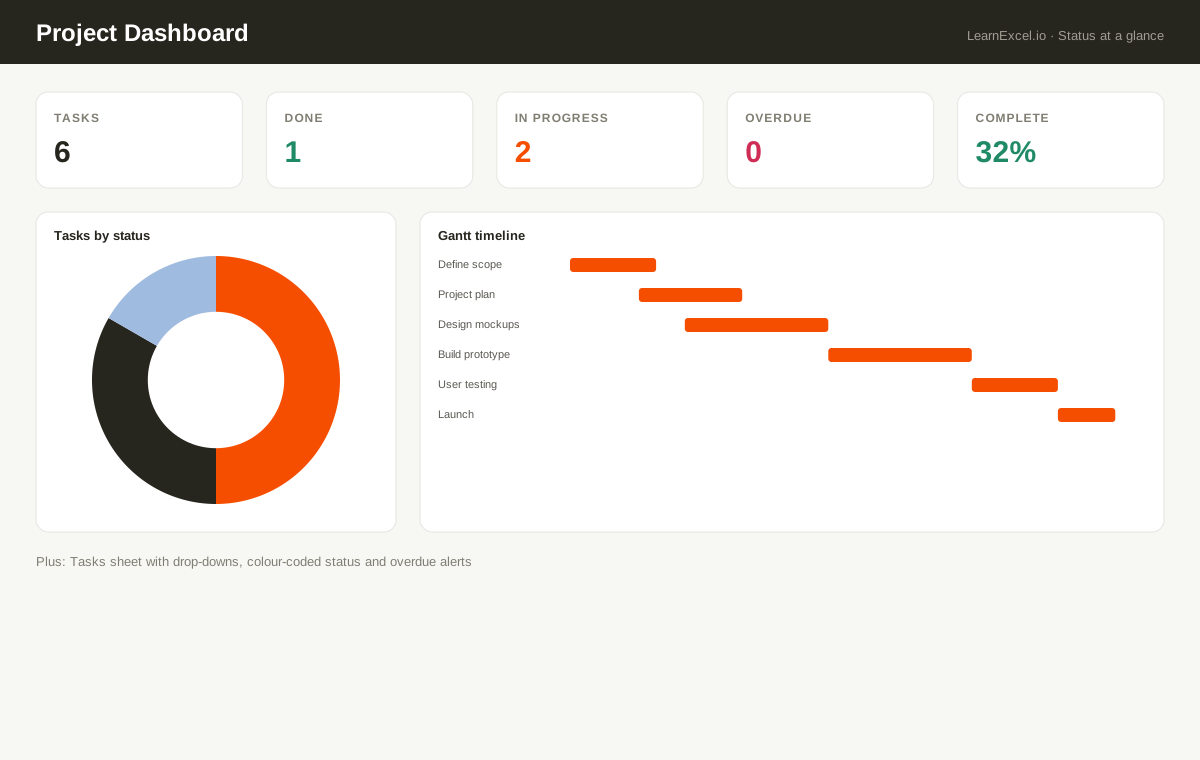
Track every task, owner, and deadline, then watch a dashboard count your progress and flag overdue work automatically. The standout: an auto-drawing Gantt timeline — set each task's start and due dates and the bars fill themselves. Built with real drop-downs and colour-coded status, not a fragile mess.
What's included
- ✓Auto-drawing Gantt timeline from your dates
- ✓Dashboard: status counts, % complete, overdue tally
- ✓Status & priority drop-downs with colour-coding
- ✓Progress bars and automatic overdue alerts
- ✓Room for 120 tasks
Every sheet, explained
- Dashboard
- Counts by status, % complete, overdue tally and a status doughnut chart.
- Tasks
- Drop-down status & priority, owners, dates, % done with progress bars, colour-coded status and overdue alerts.
- Gantt
- An automatic visual timeline — bars fill from each task's start/due dates.
- Welcome
- Quick-start guide.
New to this? Read the free guide:
Build a Project Tracker in Excel That Doesn’t Collapse at 50 Rows →