Loan & Mortgage Calculator Suite
See the true cost of any loan — and what extra payments save you.
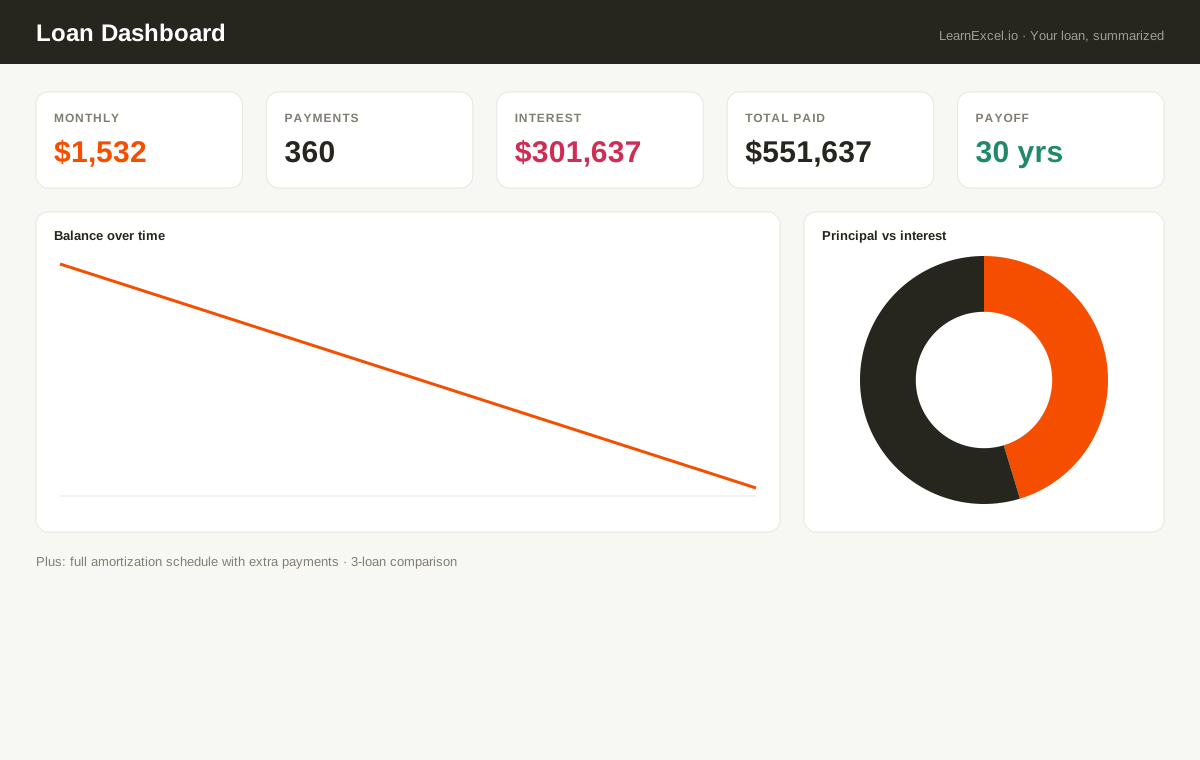
Enter a loan once and see your monthly payment, total interest, payoff date, a full payment-by-payment amortization schedule, and a balance-over-time chart. Add an extra monthly payment to watch the interest and payoff time drop — then compare up to three loan options side by side.
What's included
- ✓Instant payment via Excel's PMT — any fixed-rate loan
- ✓Full amortization schedule with extra-payment support
- ✓Balance-over-time and principal-vs-interest charts
- ✓3-loan side-by-side comparison
- ✓Mortgage, auto, student & personal loans
Every sheet, explained
- Dashboard
- Monthly payment, total interest, payoff time, a balance-over-time line chart and a principal-vs-interest pie.
- Calculator
- Your inputs and a 600-row amortization schedule that factors in extra payments.
- Compare
- Three loan scenarios side by side — payment, total paid, total interest.
- Welcome
- Quick-start guide.
New to this? Read the free guide:
How to Create an Amortization Schedule in Excel →
Want to try the math first?
Use our free loan calculator →